Note
Go to the end to download the full example code
Demo how to use mpl-simple-svg-parser





/home/docs/checkouts/readthedocs.org/user_builds/mpl-simple-svg-parser/envs/latest/lib/python3.10/site-packages/mpl_visual_context/bezier_helper.py:7: UserWarning: bezier module not fount. Using bezier-lite.
  warnings.warn("bezier module not fount. Using bezier-lite.")
import matplotlib.pyplot as plt

from mpl_simple_svg_parser import SVGMplPathIterator

fig, ax = plt.subplots(num=1, clear=True)
ax.set_aspect(1)
fn = "homer-simpson.svg"
svg_mpl_path_iterator = SVGMplPathIterator(open(fn, "rb").read(), svg2svg=True)
svg_mpl_path_iterator.draw(ax)


fig, ax = plt.subplots(num=2, clear=True)
ax.set_aspect(1)
ax.plot([0, 1000], [0, 1000])

fn = "homer-simpson.svg"
svg_mpl_path_iterator = SVGMplPathIterator(open(fn, "rb").read(), svg2svg=True)
svg_mpl_path_iterator.draw(ax, xy=(600, 100), scale=0.7)


fig, ax = plt.subplots(num=3, clear=True)
ax.set_aspect(1)
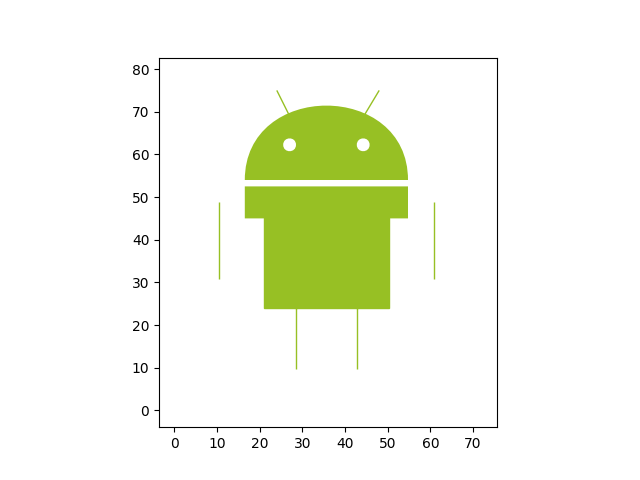
fn = "android.svg"
svg_mpl_path_iterator = SVGMplPathIterator(open(fn, "rb").read(), svg2svg=True)
svg_mpl_path_iterator.draw(ax)


# svg2svg option may not give you incorrect result. Sometime, this can be fixed
# by using pico=True option. One of the issue is that setting the proper line
# width could be tricky. The reason the robot looks wiered is that the stroke
# width is set too small. Also, note that the current version of
# mpl-simple-svg-parser simply ignoresmost of the stroke properties like join
# style, etc. This can be solved by processing the input svg with picksvg.
# picosvg translates sotrkes to fill. In addition, it will properly clip the path.

fig, ax = plt.subplots(num=4, clear=True)
ax.set_aspect(1)
fn = "android.svg"
svg_mpl_path_iterator = SVGMplPathIterator(open(fn, "rb").read(), svg2svg=True, pico=True)
svg_mpl_path_iterator.draw(ax)


# gradient support
fig, ax = plt.subplots(num=5, clear=True)
ax.set_aspect(1)
fn = "python.svg"
svg_mpl_path_iterator = SVGMplPathIterator(open(fn, "rb").read(), svg2svg=True)
svg_mpl_path_iterator.draw(ax)


fig, ax = plt.subplots(num=6, clear=True)
ax.set_aspect(1)
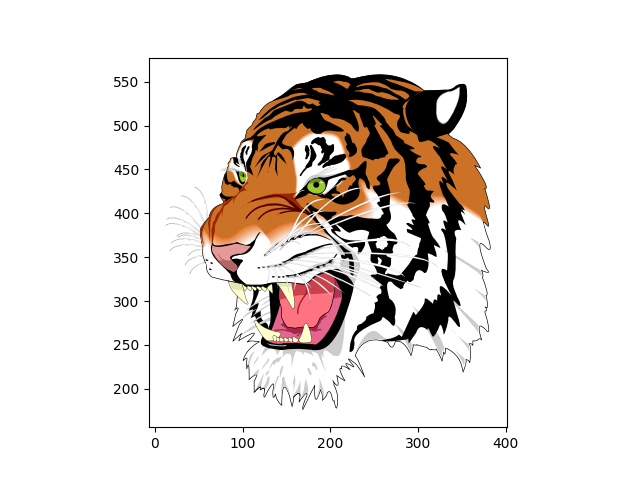
fn = "tiger.svg"
svg_mpl_path_iterator = SVGMplPathIterator(open(fn, "rb").read(), pico=True)
svg_mpl_path_iterator.draw(ax, datalim_mode="path")

# DrawingArea

from matplotlib.offsetbox import AnnotationBbox

fig, ax = plt.subplots(num=7, clear=True)
fn = "python.svg"
svg_mpl_path_iterator = SVGMplPathIterator(open(fn, "rb").read())
da = svg_mpl_path_iterator.get_drawing_area(ax, wmax=64)

ab = AnnotationBbox(da, (0.5, 0.5), xycoords="data")
ax.add_artist(ab)

plt.show()
Total running time of the script: (0 minutes 8.801 seconds)